

What your videos cost — and why that price never changes on you
It is the fairest question a team asks before committing to an AI tool: what is this actually going to cost me? Most tools answer with a shrug and a surprise at the end of the month. StudioCut.Video answers with a number you see before you start — one that does not move after you finish. Here is exactly how your spend works: your subscription, your tokens, and the promise that the price you are shown is the price you pay.
Your spend is just two things
There is no maze of line items to decode. Whatever you do on StudioCut.Video, your cost is made of two simple parts, and that's the whole story:
- Your subscription. A flat, predictable monthly (or annual) plan. It includes a generous allowance of video production built in — for most teams, the subscription is the entire bill, month after month.
- Token top-ups, only if you go beyond your plan. If a busy month takes you past what your plan includes, you simply add tokens. You buy them when you want them, they don't expire on you mid-cycle, and you are never auto-charged for an overage you didn't choose. You stay in control of every rupee.
That's it. No metered mystery, no per-feature surcharges, no "enterprise call to find out." Pick the plan that fits how much you create, and top up tokens on the rare months you stretch past it.
What actually drives the number
You don't need a calculator to trust the price — but it helps to know what moves it. Four things, and only four:
- Length. Longer videos have more scenes, more voiceover and more to generate, so they cost more. The estimate steps up as you drag the duration slider.
- Quality tier. From Draft to Showcase, higher tiers use more capable — and more expensive — models. Drop a tier to spend less; pick a higher one when the piece is going to be published.
- Extra languages. Each additional language is a complete second video — its own visuals, voiceover and render — so it adds close to the cost of the master.
- Extra attachments. A handful of input files are included; adding a lot more nudges the cost up a little.
Short videos lean on a flat base, longer ones on the tier — which is why the top tier is more affordable on a short video than you might assume. But you never have to work any of this out on paper: the wizard's live meter always shows the exact figure for the video you've configured, and that number is the one you pay.
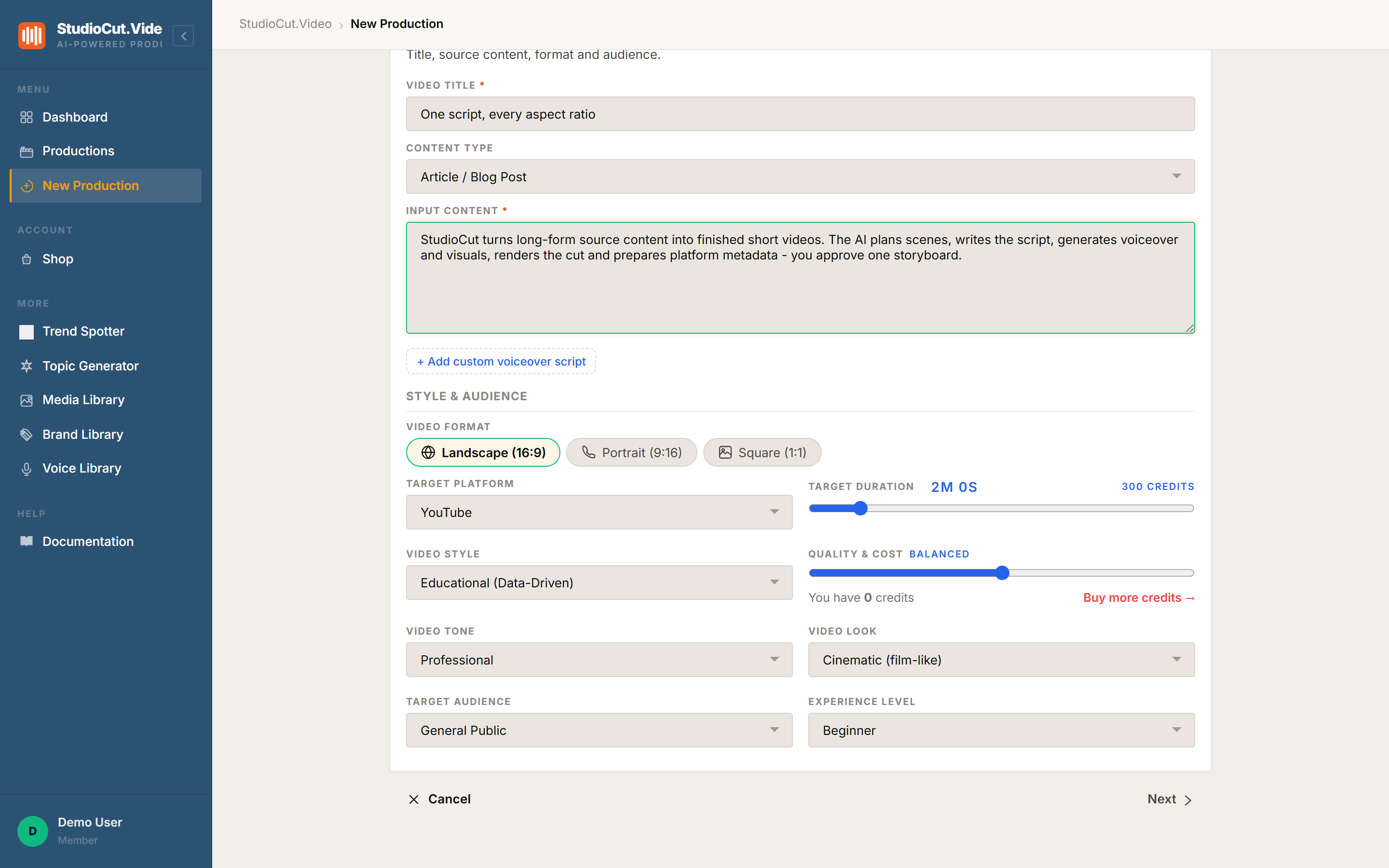
Move the quality slider and that number moves with it, before anything is generated. Want it cheaper? Drop a tier and watch the estimate fall. Want the premium look? See what it costs first. The tier is also what unlocks certain voice providers, so the slider is genuinely one decision about quality and price together rather than two.
You see the cost before you commit
The estimate is on screen while you are still choosing. Duration and quality tier drive it directly; extra input media and extra language variants add to it. Nothing runs silently in the background racking up a bill — if a project is going to be a big one, you know it while the decision is still yours.
This is the whole reason teams stop worrying about AI video cost on StudioCut.Video: the number is in front of you when the decision is yours to make, not buried in a statement after the money is gone.
The price you saw is the price you pay — permanently
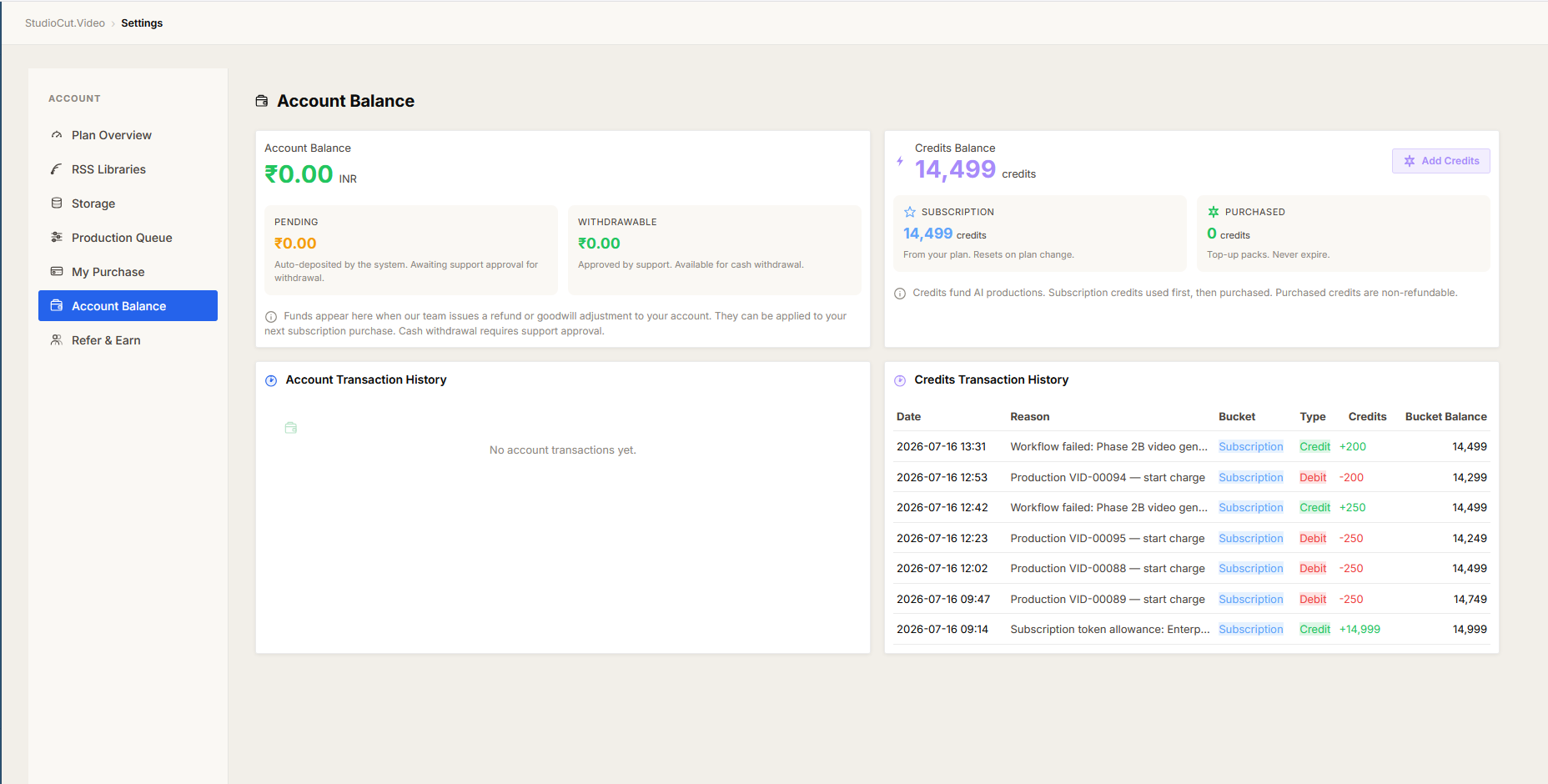
Here is the promise that matters most. The cost of a video is locked in the moment you make it, and it never moves afterward. AI providers change their prices all the time. Those changes do not reach back and quietly rewrite what your old videos "cost." A video you made in January costs its January price forever — on your dashboard, on your usage history, and on your invoice. They always agree.
That means no retroactive surprises, and no statement that disagrees with what the app told you. When you look back at a month, you are looking at exactly what happened, frozen — not an estimate that drifted.
Why this matters to you: Most "usage-based" AI tools recalculate spend whenever it suits them. StudioCut.Video doesn't. What you were shown is what you owe — full stop. That's a number you can budget against and defend to your finance team without a single asterisk.
Every variant is a video, and costs like one
Language fan-out is the one place the maths changes shape. Each variant is a complete video — its own narration, its own render, its own publishing metadata — so it carries the full cost of a video. What it does not carry is a second base fee: when you add languages in a single run, that one-time base is charged just once for the whole batch, not once per language.
So a master plus a couple of extra languages costs noticeably less than making each one as a separate project. The saving is real, and it's that shared base — not a discount on the work, because the work genuinely happens once per language. It's still a long way from "five languages for the price of one," which is why we'd rather say so plainly than let the pricing imply otherwise.
Cost, per video, in plain view
You don't have to take the total on faith. Every video carries its own cost, listed plainly, so you can see which projects are light and which are heavyweight. Teams use this to price client work confidently, to spot the long multi-language projects that are worth a premium, and to decide where AI video earns its keep. It turns "is this worth doing?" from a guess into a glance.
You're always the one in control
No automatic overage billing. No silent plan upgrades. No charge you didn't choose. If you reach the edge of your plan, StudioCut.Video tells you — and you decide whether to top up tokens or wait for the next cycle. Spending more is always a deliberate choice you make, never something that happens to you.
It's the same idea running through everything above: you should never be surprised by what you pay. See it before, lock it at the moment, and look back on a history that never changed under you.
The bottom line
A flat subscription that covers most teams entirely. Optional token top-ups, on your terms, for the months you create more. A clear cost shown before every video, and a price that stays exactly what you were told — forever. That's AI video without the bill shock, and it's the reason teams move their video to StudioCut.Video and stay.
The fastest way to see your own numbers is to run one real project. Compare the plans, pick the one that fits how much you create, and watch the cost behave exactly as promised.
Further reading
- Pricing & plans — every plan, what's included, and how token top-ups work.
- How a video gets made — the five phases your subscription puts to work.
- One review gate, not five — why fixing a plan is free, and generation only happens once.
- FAQ — billing, top-ups, and plan questions answered.
See your own numbers
The fastest way to trust the pricing is to run one real project and watch the cost behave exactly as promised. Start a free account — no card, no bill shock.
Get Started Free