

Score it in two clicks
Describing a mood and hoping is a strange way to score a film. You write "warm, optimistic acoustic", wait for the generation, and find out afterwards whether it fits. The Music Library removes the gamble in the most boring possible way: you listen to the actual track, and then you pick it.
Describing a mood is a gamble
The default way to score an AI-generated video is to describe what you want and hope. You type something like soft, warm, optimistic acoustic with light playful plucks, the pipeline generates a bed to match, and you find out whether it fits after it has been generated and paid for. When it does not fit, your options are to describe it differently and roll again, or to ship a video with music that is nearly right.
Nearly right is the worst outcome, because it is the one people ship.
Where it lives
The Music Library is not a page. It is a picker, and it lives exactly where the decision happens: the Background Music card in Step 2 of the create wizard, next to the voice controls. The card's header carries a Select from library button.
Click it and a drawer slides in from the right with the curated catalogue in it: a track search box and a mood filter across the top, with the tracks listed below.
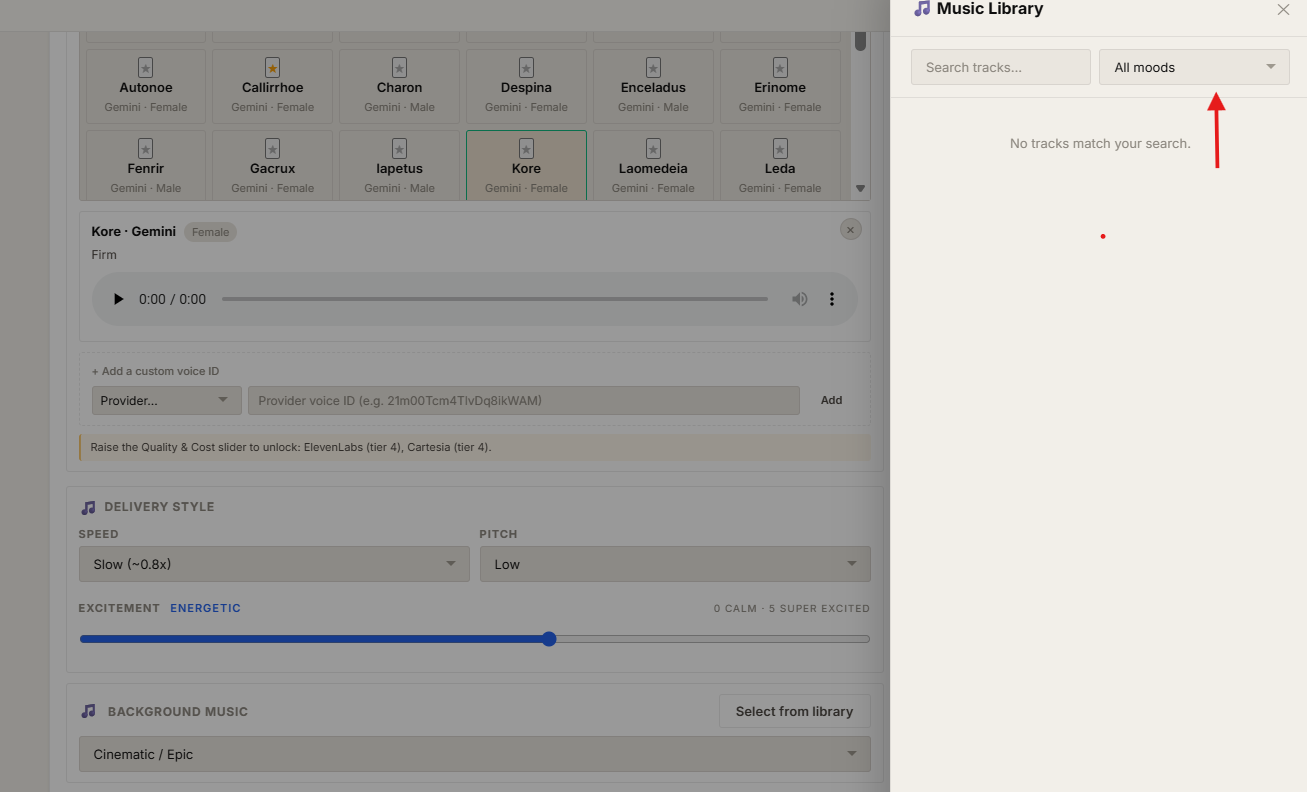
Each track carries what you need to judge it — its mood, genre, tempo and length — and a play control beside it. Pressing play previews the actual track, in the drawer, without navigating away and losing the rest of your wizard state. That is the entire mechanism: hear it, then choose it.
A picked track supersedes the mood
This is the part worth being precise about, because it changes what the rest of the pipeline does.
Normally the Background Music card is a mood dropdown, and that mood is a brief — it gets passed downstream and music is generated to match it. When you select a track from the library, the dropdown is replaced by a chip carrying the track's name, and the brief stops mattering. The pipeline uses the track you heard rather than generating something in its spirit.
So the two paths are genuinely different, not two routes to the same place:
| Mood | Library track | |
|---|---|---|
| What you choose | A description of the feel you want | A specific piece of music |
| When you hear it | After generation | Before you commit |
| What ships | Something generated to match the brief | Exactly what you previewed |
Clearing the chip returns the card to the mood dropdown, so the decision is reversible right up until you start the production.
When the button is not there
If your plan does not include the Music Library, the Background Music card looks slightly different: the mood dropdown alone, with no Select from library button in the header. Nothing is broken — the feature is simply not on that plan, and mood-based generation is what you get.
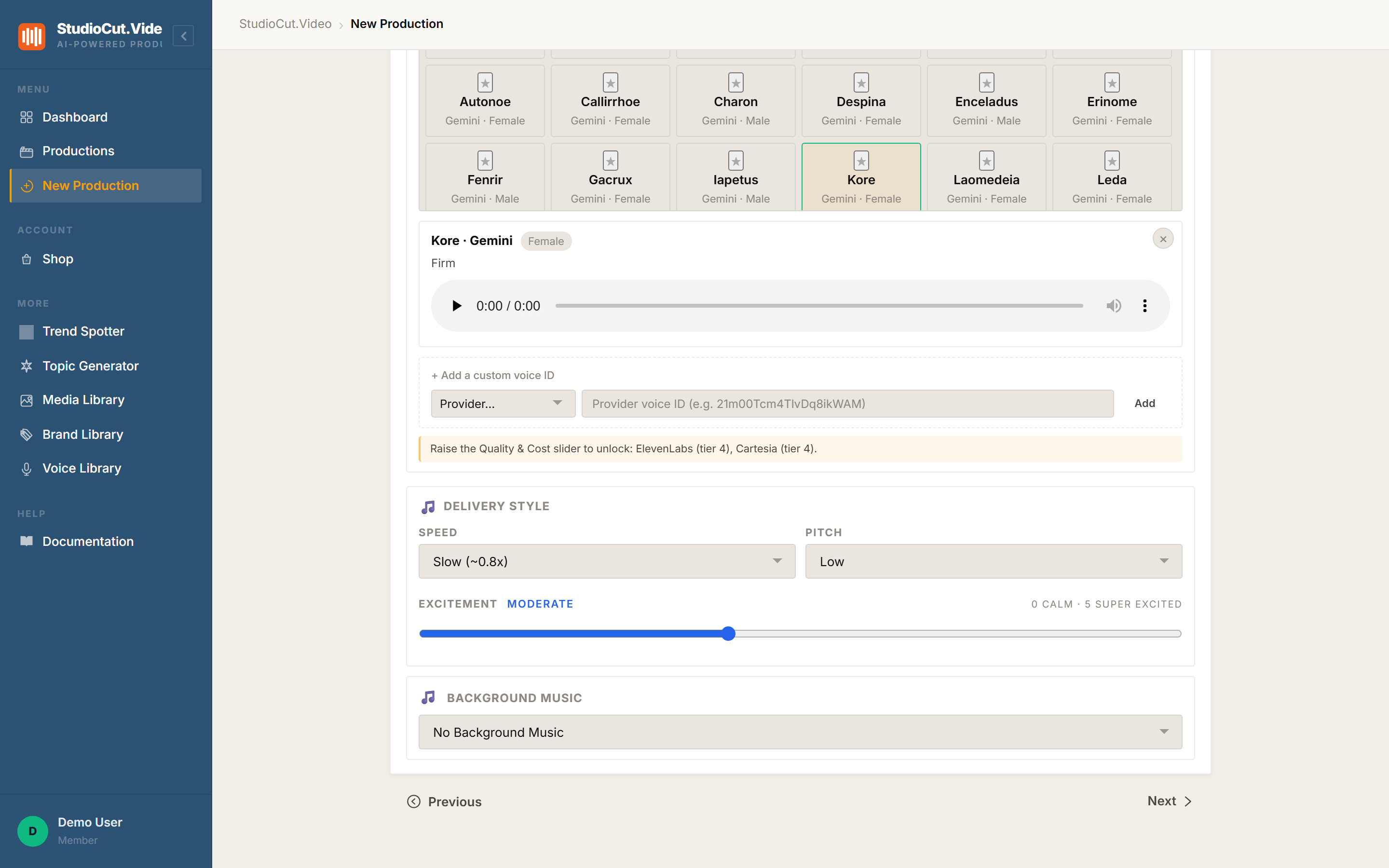
Two separate things can produce that state, which is worth knowing when you are debugging why a colleague's screen differs from yours:
- Plan entitlement. The library is not included on Free. Starter and above include it.
- A platform switch. The feature can be turned off centrally, which hides it regardless of plan.
Also valid: "No Background Music" is a real choice. A talking-head explainer or a compliance walkthrough is often better dry, and a bed added out of habit is a bed that fights the narration.
Why "two clicks" is the whole pitch
There is no clever technology in this feature, and that is the argument for it. Generated music is impressive and unpredictable; a curated catalogue is unimpressive and certain. For a weekly publishing cadence, certainty is worth more — you want the fourth video this month to sound like the first three, and the fastest route to that is picking the same track again.
Open the drawer, press play, press Select. The score is decided, you heard it before deciding, and nothing downstream can surprise you.
The one-sentence version: the Music Library is a drawer in wizard Step 2 where you preview real tracks and pick one — and the picked track supersedes mood generation, so what ships is what you heard.
Further reading
- Pick a voice, or bring your own — the other half of the audio decision, on the same wizard step.
- The Create Wizard — everything else Step 2 controls.
- Plans and pricing — which tiers include the library.
Hear the track, then pick it
Search the curated catalogue by mood, preview a track without leaving the wizard, and lock it in so the pipeline uses the one you heard. Start free.
Get Started Free