

Your look, one click
Brand consistency does not die in a meeting. It dies on the third video of the week, when someone in a hurry picks nearly-the-right orange and nobody notices until it is published. A brand preset is the fix: every decision you would otherwise re-make per video, made once and applied from a dropdown.
Watch a preset fill an entire branding section in one click.
How brand consistency actually dies
Not in a rebrand. In a hurry. Video three of the week goes out with the orange from the old deck, a heading font nobody approved, and a call to action phrased slightly differently from the last two — because the person making it was doing the fifth thing on their list and the colour picker was right there.
Every one of those decisions is small enough to make badly and frequent enough to matter. A preset kills the whole category by removing the decision from the moment of production entirely.
What a preset carries
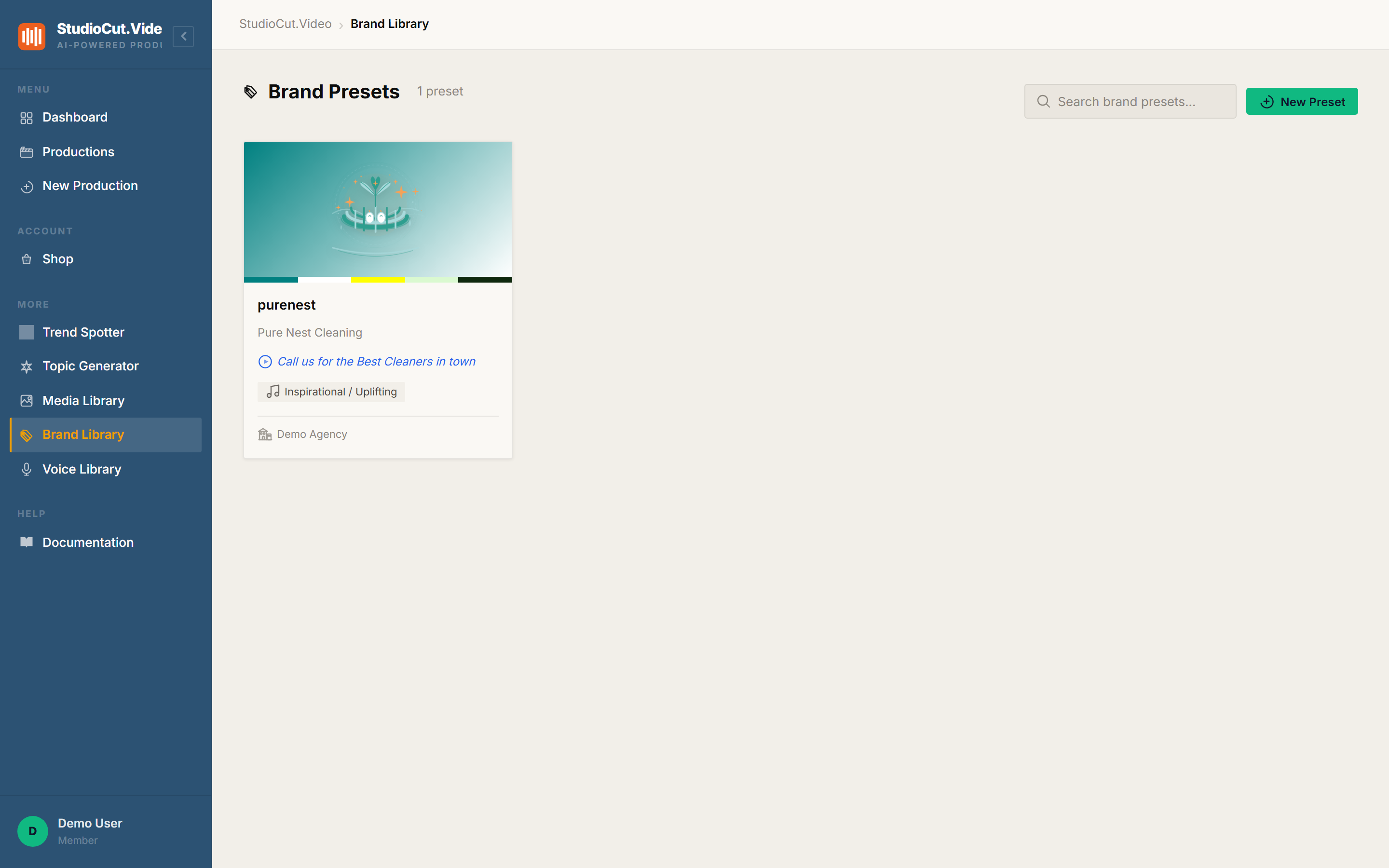
A brand preset is a saved bundle of every branding decision a production needs. Presets live on the Brand Library page, where each one is a card showing its identity thumb, its colour strip, the brand name, the call to action, and the music mood it prefers.
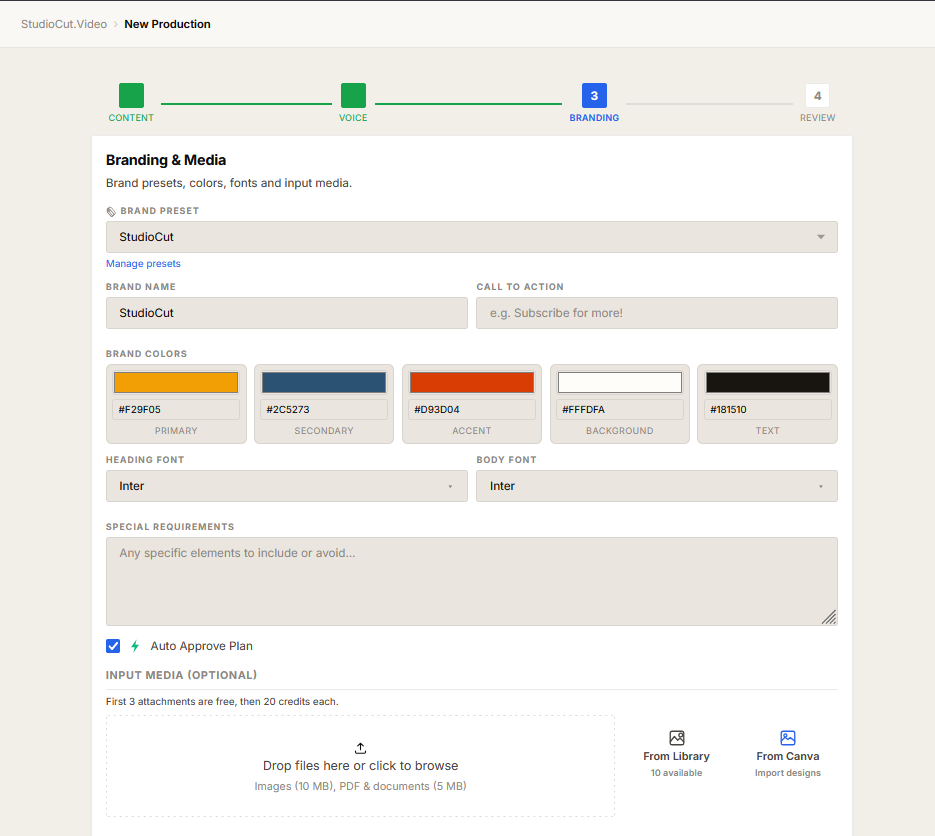
What the preset actually fills in becomes clearer at the point of use. In Step 3 of the create wizard — Branding & Media — picking a preset from the dropdown populates the whole section at once:
- Brand name and call to action.
- Five brand colours: primary, secondary, accent, background and text, each an explicit hex value rather than an approximation.
- Heading and body fonts, chosen separately.
- Standing special requirements — the "always do this, never do that" instructions you would otherwise retype every time.
Where the branding actually shows up
Colours and typography are not decoration applied at the end. They are enforced during Phase 3, Direction, where every scene gets its layout composed — which is why the brand holds across scenes with different content instead of appearing only on a title card.
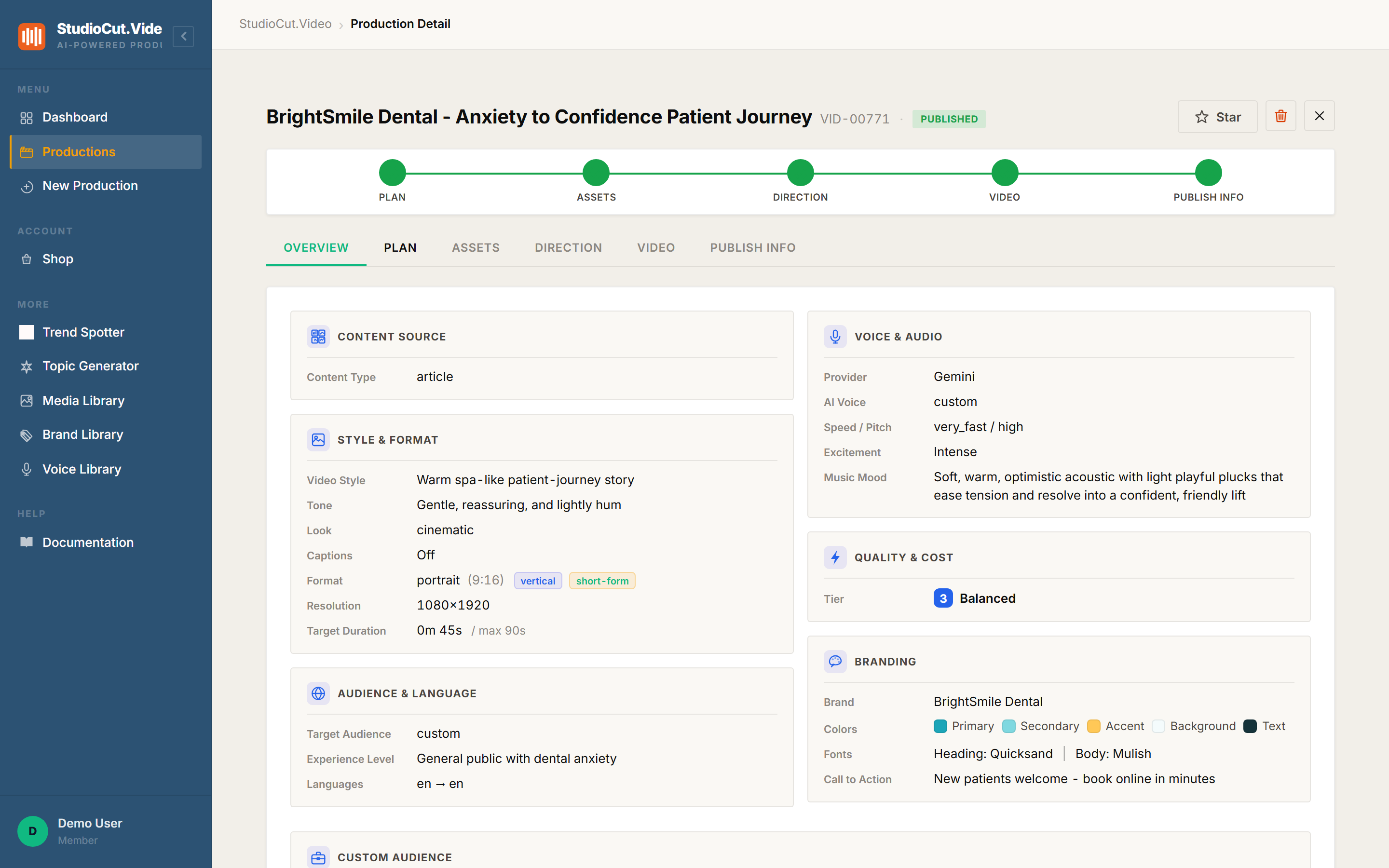
A finished production records what was applied, so you can confirm it rather than assume it: the brand name, the five colour roles, both font choices, and the call to action all appear in the production's branding summary.
The honest bit: this one is plan-gated
Custom branding is a Professional and Enterprise capability. On Free and Starter the Step 3 branding section is present but gated — you will see a banner saying custom branding is not available on your current plan, with the fields disabled behind it.
We would rather you read that here than discover it at Step 3 of your first real production. If your videos need to carry a specific identity, that is the tier to be on; if you are evaluating the pipeline itself, everything else in it works without a preset.
Agency teams: presets can belong to an agency rather than an individual, which is what makes them useful for client work — one saved identity per client, shared across whoever is producing that week.
The workflow this enables
For a single brand, the payoff is boring and real: you stop making branding decisions. Pick the preset, move on, and every video is the same brand because nobody had the opportunity to make it otherwise.
For agencies it is more structural. Each client gets a preset, and producing for that client becomes selecting them rather than remembering them. New people on the team produce on-brand work on their first day, because the brand is a dropdown entry rather than a document they were supposed to have read.
The one-sentence version: a brand preset saves the five colours, both fonts, the logo, the call to action and your standing requirements, and applies all of it from one dropdown at Step 3 — with the branding enforced per scene during the direction phase.
Further reading
- The Brand Library — creating and managing presets.
- Customizing a project — the free-text fields that steer style, tone and audience.
Decide your look once
Save your colours, fonts, logo and call to action as a preset, then apply the whole thing from one dropdown on every production. Start free.
Get Started Free