

One script, every aspect ratio
A landscape video cropped to portrait is not a Short. It is a landscape video with its sides missing — the framing is wrong, the text runs off the edge, and everyone can tell. Producing genuinely different aspect ratios means re-deciding the composition of every scene, not re-cropping a file. Here is where that happens in StudioCut, and how to get all three formats out of one script.
Watch the same script produced for three aspect ratios — the short version of this guide.
A crop is not a format
The reason most repurposed vertical video looks wrong is not resolution. It is composition. A landscape scene is framed for a wide rectangle: the subject sits off-centre, the text lives in a lower third that is genuinely lower and genuinely a third, and the eye has room to travel horizontally. Take the sides off and every one of those decisions is now wrong. The subject is half out of frame, the text overflows, and the shot reads as an accident.
Producing a real portrait cut means re-deciding those things per scene. That is a direction problem, not an export setting.
Three formats, chosen at the start
Format is a Step 1 decision in the create wizard, sitting with the other things that shape the whole production. There are three:
- Landscape (16:9) — YouTube, embeds, anything that plays in a player on a page.
- Portrait (9:16) — Shorts, Reels, TikTok, Stories.
- Square (1:1) — feed placements where the viewport is neither.
Beside it sits the Target Platform selector, and the two work together: the platform tells the pipeline which conventions apply, and the duration control adapts to the limits of what you picked.
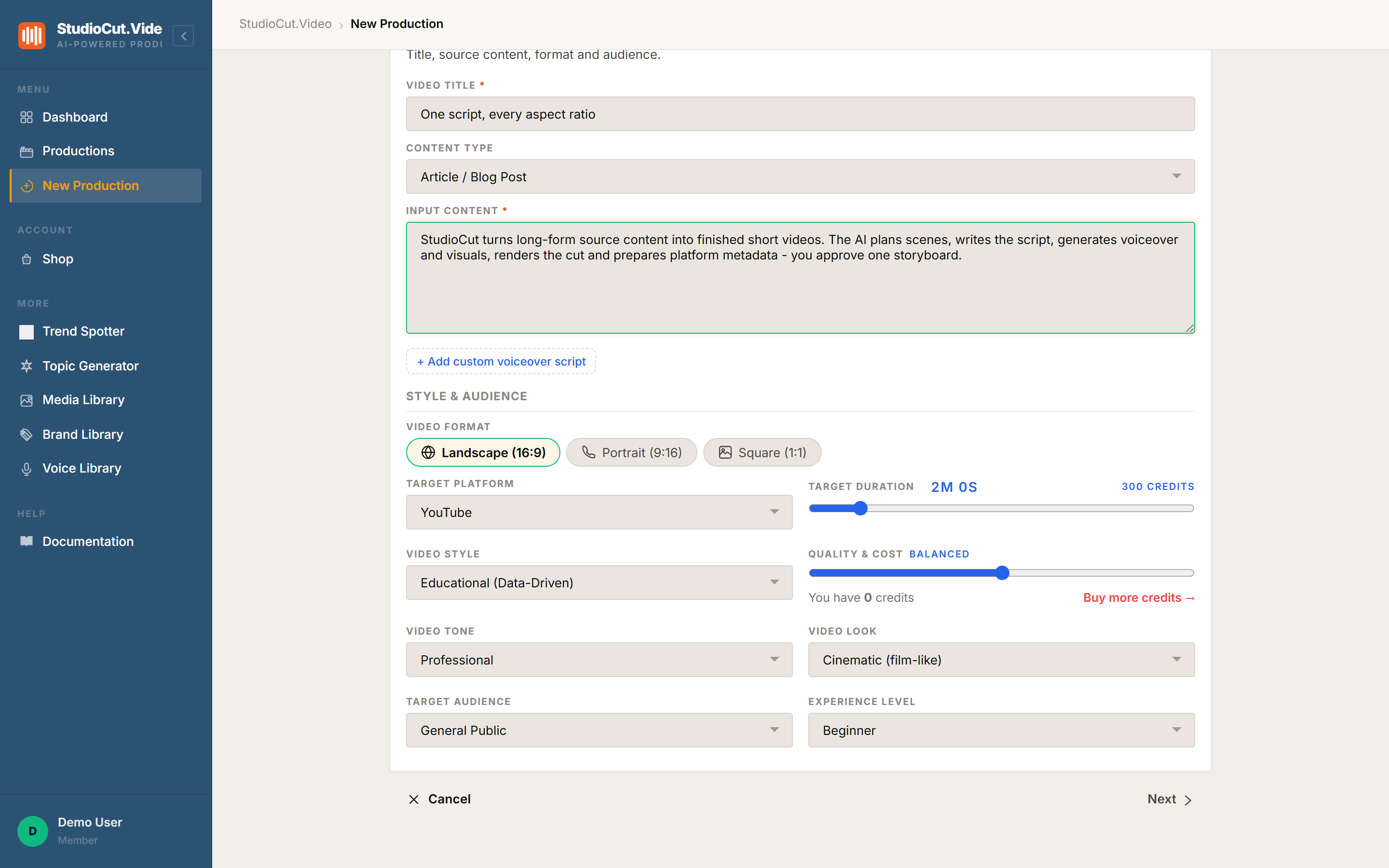
Note what else is on that screen. The duration slider carries a live credit estimate — 300 credits for a two-minute Balanced production — so the cost of the format and length you just chose is visible before you commit to any of it.
Where the difference actually happens
The aspect ratio is applied in Phase 3, Direction. That is the phase where each scene stops being a picture and a line of narration and becomes a composed thing: a layout is chosen, motion is applied, brand colours and typography are enforced, and safe zones are respected for the shape you are targeting.
Because that happens per scene rather than per file, a portrait production is directed as portrait from the first scene onward. Text is positioned where portrait text belongs. Framing accounts for a tall frame. Nothing is cropped, because nothing was ever composed for a different shape.
The finished production records what it produced — you can see the format, the resolution it rendered at, and the platform's duration ceiling on the Overview tab.
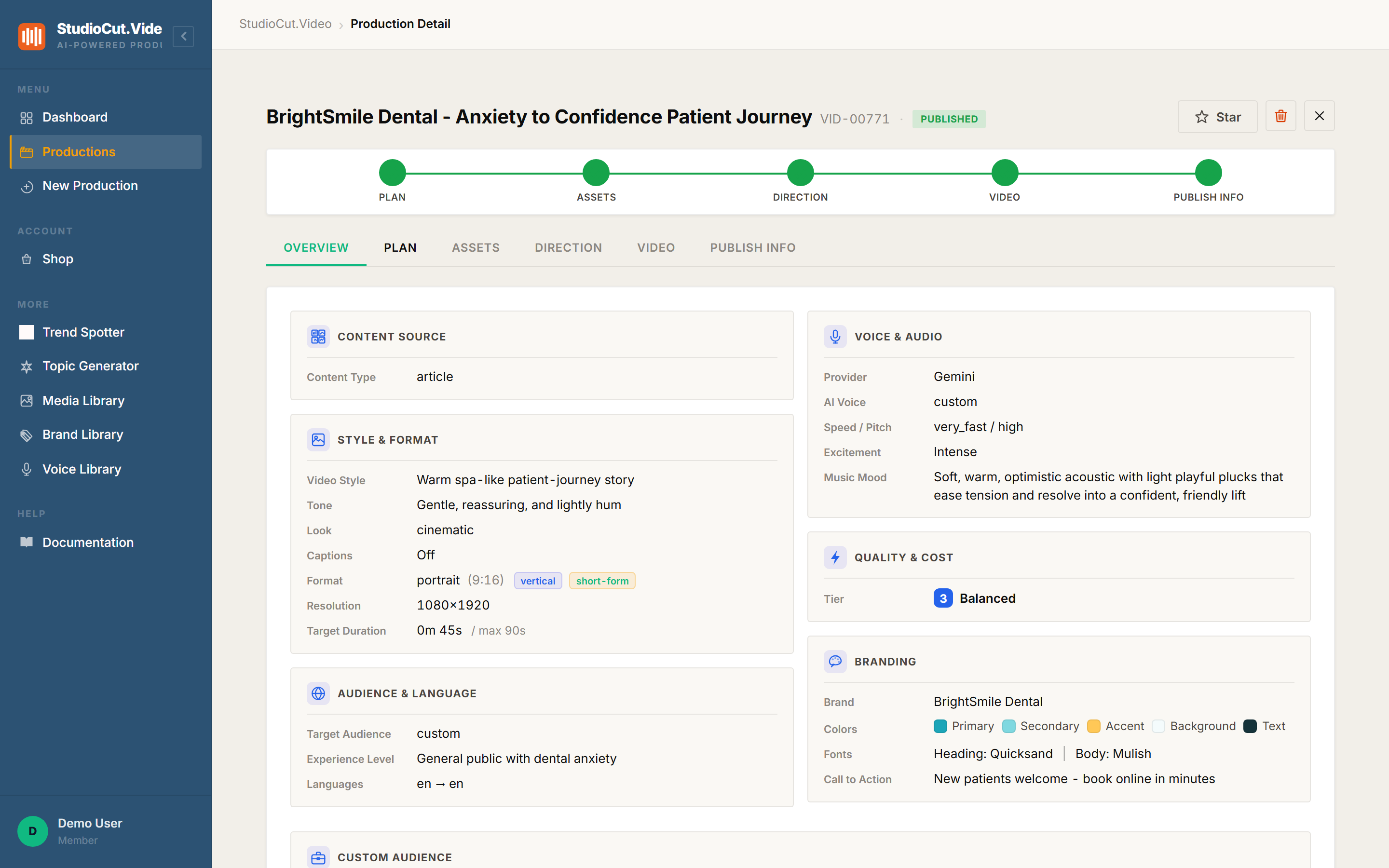
portrait (9:16), resolution 1080×1920, duration 45s against the platform's 90s ceiling.The platform rules come along for free
Every short-form surface has its own ceiling, and they do not agree with each other. Setting the target platform means the wizard applies that platform's limit to the duration control rather than letting you build something you cannot upload. A production targeted at a short-form platform is also flagged as such internally, which is what routes it through the short-form handling later in the pipeline.
This is a small thing that removes a specific, recurring annoyance: finding out at upload time that your video is four seconds too long for the surface you made it for.
The fan-out lever: bulk import, not a duplicate button
Here is the honest part, and it is the thing most people get wrong about this feature.
There is no "duplicate this production in another aspect ratio" button. If you are looking for a one-click re-target on an existing production, it does not exist. Anyone telling you otherwise is describing a tool that is not this one.
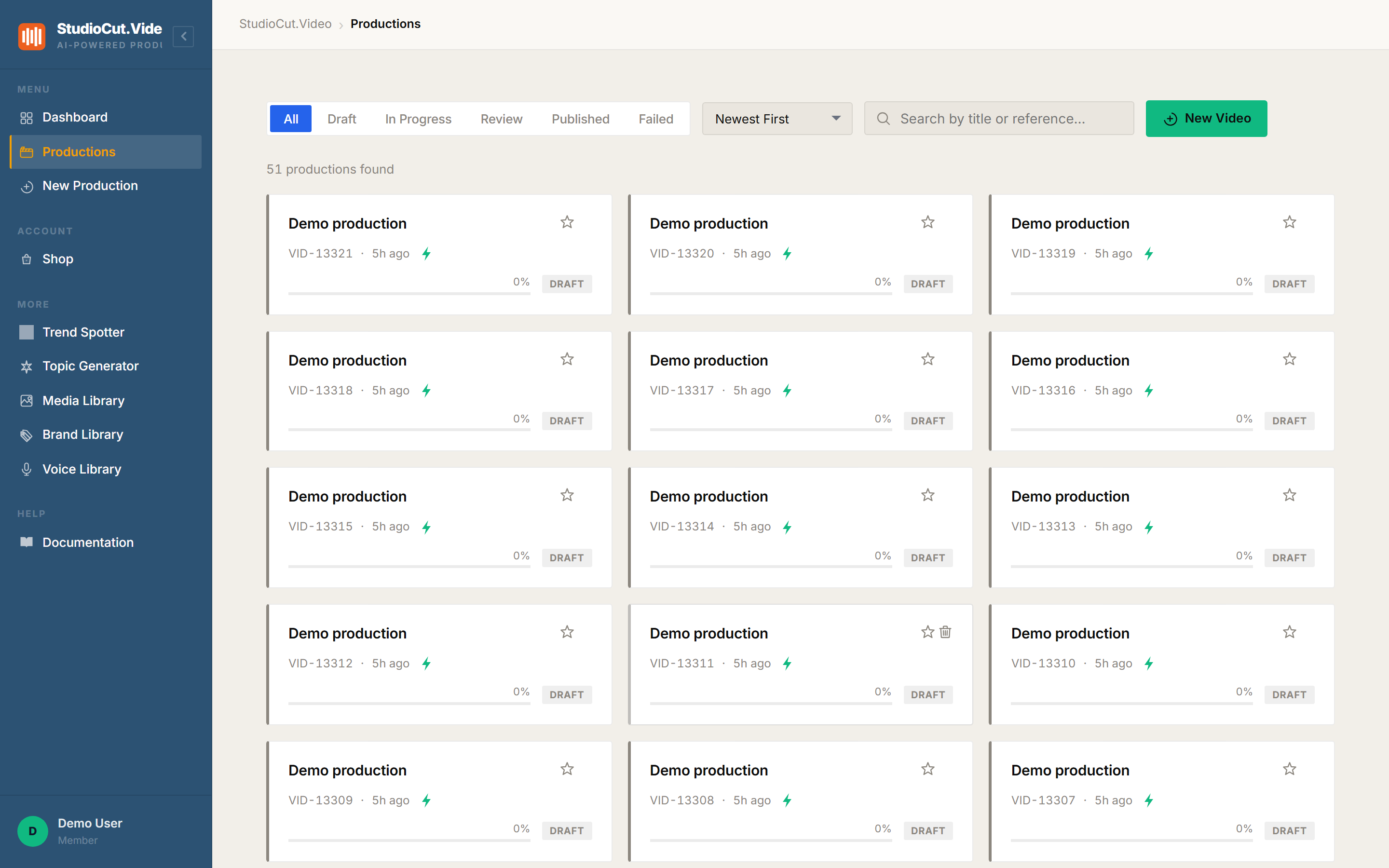
The real lever is Bulk Import from JSON. You describe the same source content as several records — one per format and platform — and submit them in a single paste. Each becomes its own production, with its own plan written for its own shape, and each is directed and rendered independently.
That is more honest than a duplicate button would be anyway. A landscape video and its portrait sibling should not share a plan: the scene count that works at 45 seconds wide is rarely the scene count that works at 45 seconds tall. Separate records mean separate plans, and separate plans mean each cut is actually built for where it is going.
Worth knowing: each record in the batch is a full production and costs like one. Three formats is three productions' worth of credits, not one production plus a discount. The wizard's live estimate is the number to check before you paste a large batch.
Picking without overthinking it
If you are publishing to one place, pick that place and stop. The multi-format question only matters when the same message genuinely has to appear on surfaces with different shapes — a launch, a campaign, a catalogue.
When it does, write the source content once, then let the batch produce a properly directed cut for each destination. The work becomes "describe the outputs you want" rather than "make a video, then fight it into three shapes".
The one-sentence version: aspect ratio is applied per scene during the direction phase, so each format is genuinely composed for its shape — and the way to get several formats from one script is a bulk JSON import, not a duplicate button.
Further reading
- Multi-Format Production — the step-by-step guide.
- Bulk-importing productions from JSON — the template and schema for batches.
- Multi-language fan-out — the other one-input-to-many-outputs mechanic, which works differently.
Produce for the shape you are publishing in
Pick a format and a platform, and every scene gets composed for it — text repositioned, framing reworked, safe zones respected. Start free and cut your first vertical.
Get Started Free